

PhET Interactive Simulations is a free, research-based virtual lab playground for science and maths teachers who want high-impact, low-prep lessons that actually hook students in.
What is PhET and why should teachers care?
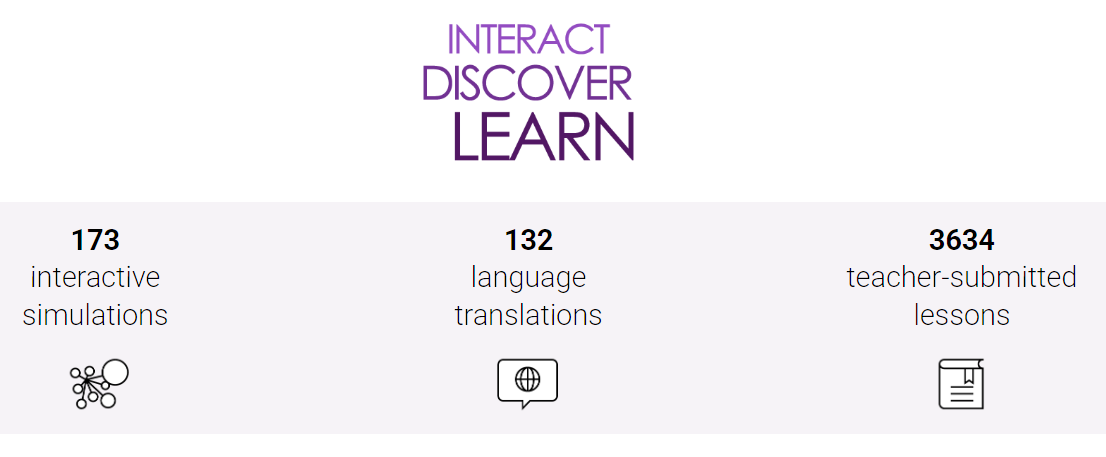
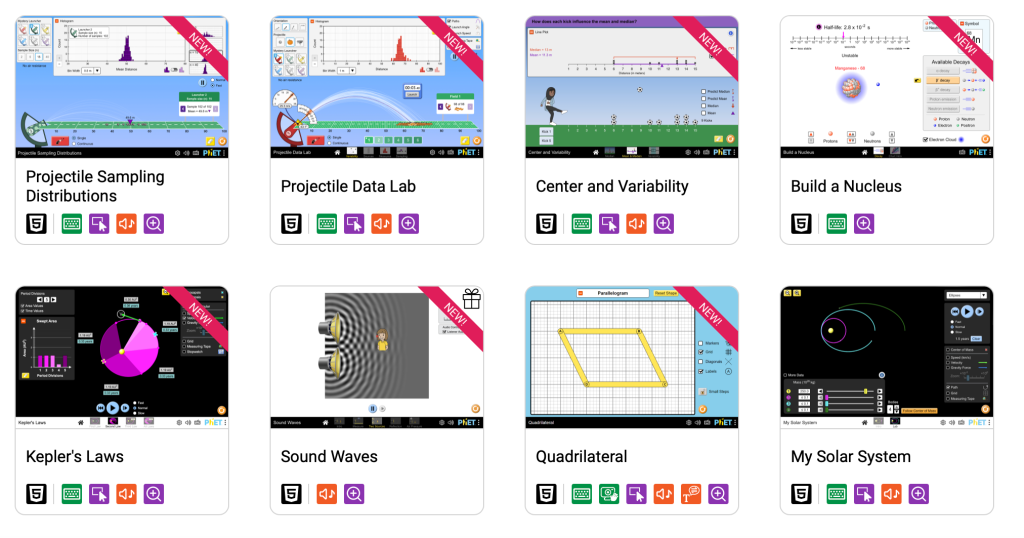
PhET Interactive Simulations is a non-profit project from the University of Colorado Boulder that creates over 130 free, interactive science and mathematics simulations for classrooms around the world. The sims cover physics, chemistry, biology, earth science and maths, and are designed to feel more like a game than a worksheet, with drag-and-drop controls, sliders, and immediate visual feedback.
For busy teachers, that means you can drop a simulation into a lesson as a quick demo, a guided investigation, or a full virtual lab without spending hours building custom interactives from scratch.
Ease of use and classroom setup
PhET’s interface is clean and simple: you browse by subject, topic, or grade level, then launch a simulation directly in your browser, no sign-up required. Most of the newer simulations run in HTML5 and work smoothly on laptops, Chromebooks and tablets, which is ideal for mixed-device classrooms.
Each simulation includes a short description, learning goals, and links to teacher-created activities, which makes it easier to plug into your existing lesson sequence. If your school has patchy internet, you can download an offline installer so students can still run simulations without being online.
If you’re building out your digital toolkit, this kind of “fast to launch, low friction” tool pairs well with broader setups like a curated list of free classroom tools or a school-wide approach to blended learning workflows.
How PhET drives student engagement
PhET simulations are deliberately designed to make invisible science visible: particles move, fields shift, graphs update, and numerical values change in real time as students interact. Students can tweak variables, run quick experiments, and immediately see cause-and-effect relationships, which supports conceptual understanding far beyond static diagrams.
Research into PhET use shows strong gains in motivation and engagement when teachers embed simulations into structured activities, with high percentages of students actively participating and reporting increased interest during PhET-supported lessons. In practice, that might look like students predicting what will happen, running the sim to test it, then reflecting in a short written or verbal explanation.
For teachers building more interactive, inquiry-style lessons, PhET works neatly alongside strategies you might use in student-led inquiry tasks.
Differentiation and teacher control
Because PhET sims are open-ended, you can quickly adjust the level of support and challenge: some students can freely explore while others follow a more scaffolded worksheet or step-by-step prompt. Students can work at their own pace, revisit concepts, and experiment multiple times without extra setup from you, which is helpful in mixed-ability classes.
The PhET site hosts a large database of teacher-contributed activities, including guided labs, concept questions and homework tasks that you can download and adapt for your context. This makes it easy to create differentiated pathways, for example, assigning different activities around the same simulation to extend confident learners and support those who need more structure.
If you’re already thinking about digital differentiation, PhET fits well into a larger approach like a differentiation with tech framework where tools are mapped to specific learning needs rather than used as one-off “cool” add-ons.
Pricing and licensing
For everyday classroom use, PhET simulations are completely free for teachers and students, and are available globally as open educational resources. Schools can use them without a subscription, which makes PhET particularly attractive for low-budget or BYOD environments.
For curriculum teams and organisations that need deeper integration or extra features, PhET offers an enhanced curriculum or platform licensing option (such as PhET-iO) aimed at embedding sims into other systems and enabling custom data and analytics. These advanced options are typically fee-based and targeted at districts, platforms and publishers rather than individual classroom teachers.
Pros and cons for classroom use
Here’s a quick overview from a teacher’s-eye view.
Advantages
- Free access for all: Over 130 simulations available at no cost, with global reach and multiple language options.
- High engagement factor: Game-like, interactive design encourages active exploration and helps students connect abstract ideas to visual models.
- Wide subject coverage: Strong library across physics, chemistry, biology, earth science and maths, from upper primary through to secondary.
- Research-based design: Built and iteratively tested using educational research and classroom trials to support effective learning.
- Offline options: Downloadable sims and offline installers reduce reliance on always-on internet.
Limitations
- Devices are non-negotiable: You need access to computers or tablets and a basic level of tech confidence for both students and teachers.
- Not a full lab replacement: Virtual experiments are powerful but should complement, not completely replace, hands-on practical work where possible.
- Limited built-in assessment: PhET itself doesn’t provide rich analytics or auto-marking; you’ll need your own exit tickets, quizzes or rubrics to capture learning.
This is where a broader assessment strategy using tools you already have (LMS quizzes, Google Forms, quick checks) becomes important, and where a post on hacking formative assessment could link nicely.
Free and paid alternatives to explore
If you like the idea of virtual labs and interactive simulations, there are a couple of other platforms worth bookmarking alongside PhET.
- LabXchange - A free online science education platform from the Amgen Foundation and Harvard University that offers virtual labs, curated content, and personalised learning pathways across multiple science disciplines.
- ExploreLearning Gizmos - A paid platform with 550+ interactive STEM simulations for grades 3–12, complete with structured lessons, real-time feedback and teacher progress tracking tools.
Is PhET worth adding to your toolkit?
If you teach science or maths and have at least occasional access to devices, PhET Interactive Simulations is a high-value, low-cost win for your digital toolkit. The platform’s combination of research-based design, broad curriculum coverage and genuinely engaging interactions makes it a strong candidate whenever you want students to explore, test and visualise ideas rather than passively watch.
Used intentionally and paired with clear learning goals, structured prompts, and your own assessment checks, PhET can shift a lesson from “teacher demo” to “student exploration” with only a few extra clicks.
