

If you’re teaching in the elementary/primary space and haven’t dipped your toes into Seesaw, you might want to read on. You’ve probably at least heard about it in the staffroom, or at a PD, or from That One Teacher Who’s Always On Top of the Latest Apps (that’s me! and it’s the reason why I started EduHacking! 😉). I’ve been using Seesaw for a couple of years now, mostly as a bridge between my classroom and families, and honestly, it’s a game-changer when it comes to simplifying communication and making student learning visible.
What is Seesaw?
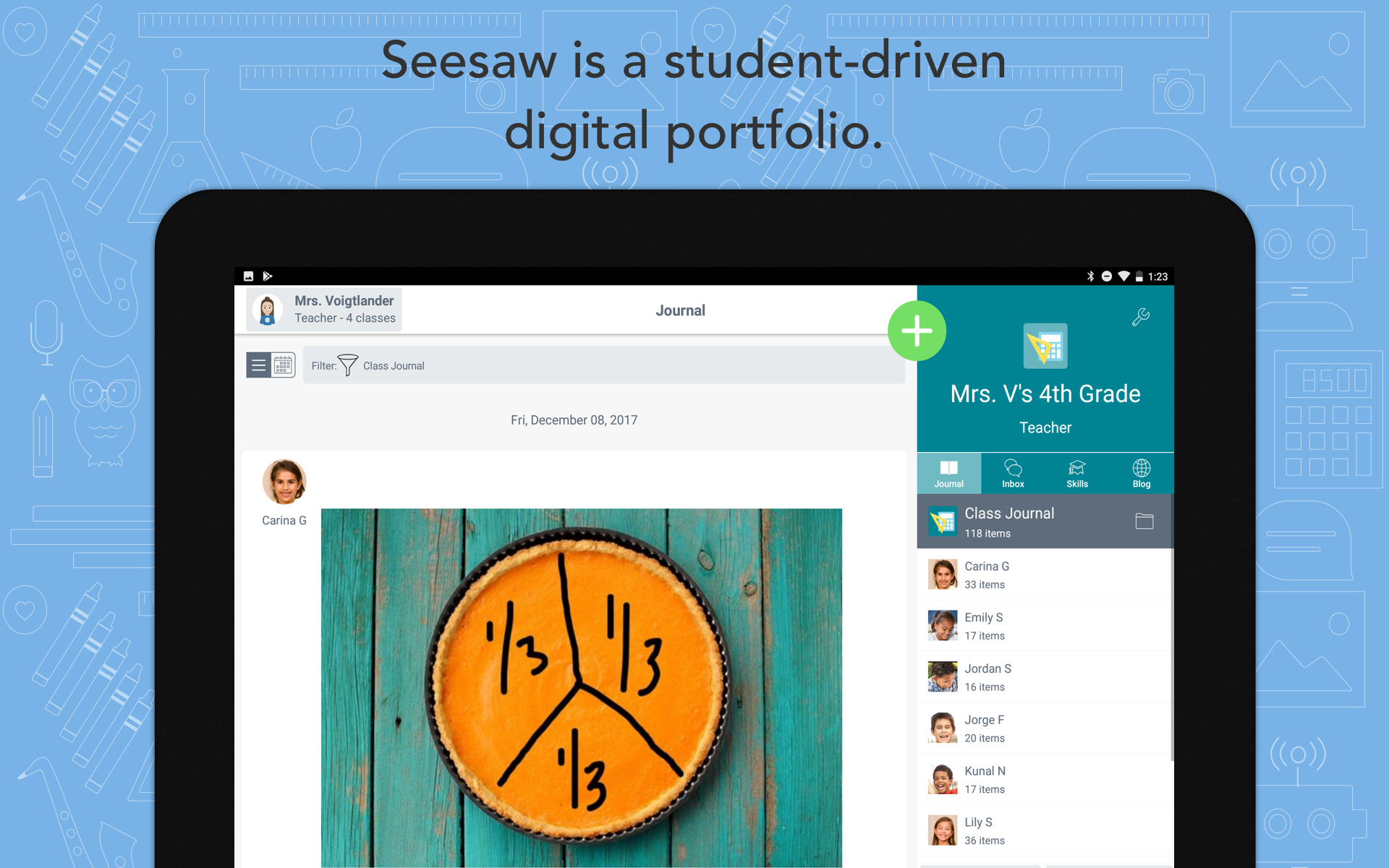
Seesaw is a digital portfolio and communication platform designed for young learners and their families. Students can post work (photos, drawings, videos, voice notes, etc.), and teachers can comment, organise, and share it with parents in a secure and private way. Think of it as a cross between a student journal, a classroom bulletin board, and a private social feed for families.
Ease of Use
One of Seesaw’s biggest wins is that it’s incredibly intuitive, both for teachers and for families (yes, even the ones who say “I’m not good with tech”).
- Setup: Takes under 30 minutes to get your class roster up and running. QR codes make student logins simple.
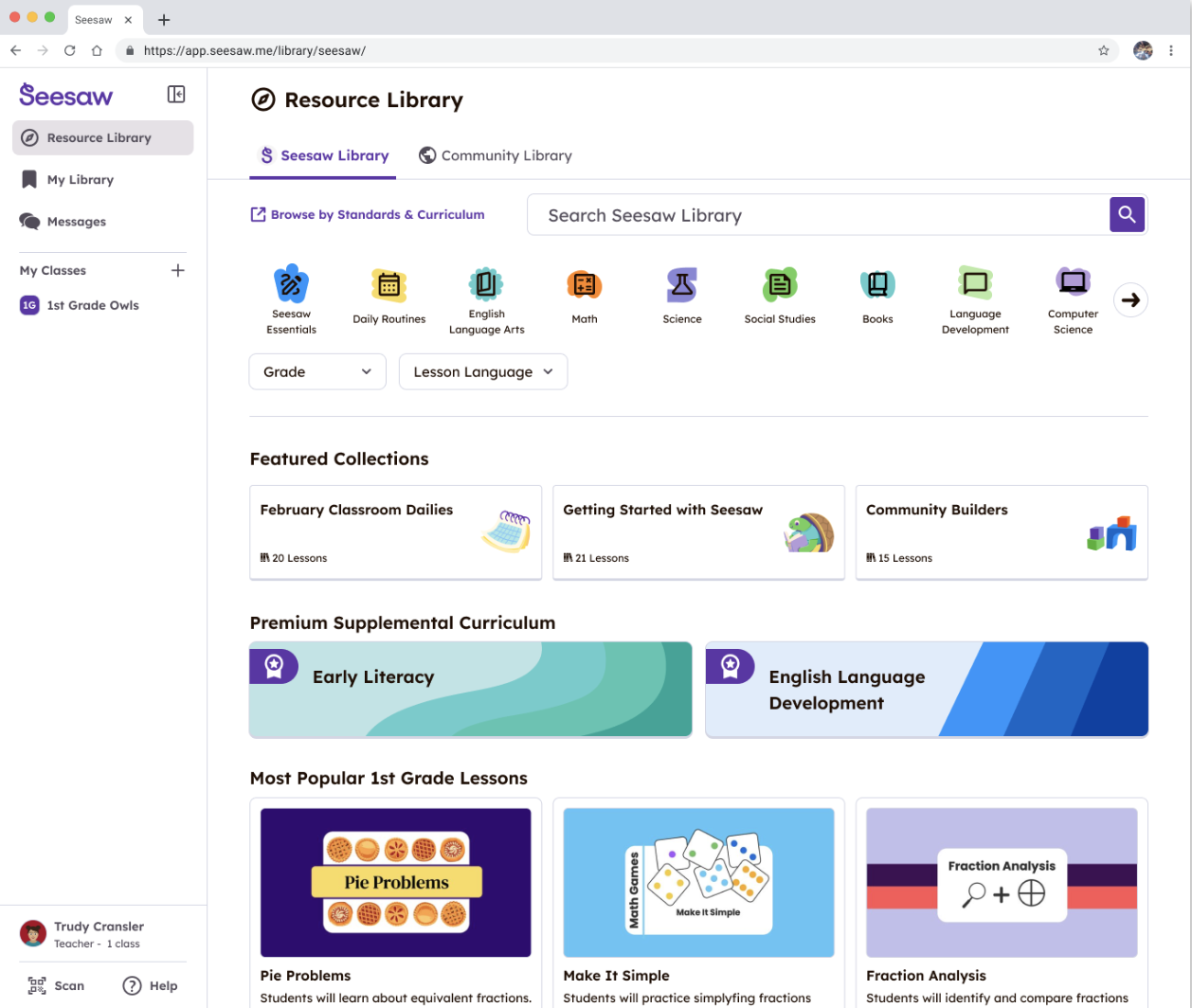
- Navigation: The app is clean and visual, perfect for younger learners who aren’t fluent readers yet.
- Posting: Students can easily take photos of their work, record themselves reading, draw diagrams, or explain their thinking using the voice recording tool.
If you can use an app like Instagram or Facebook, you can use Seesaw. Seriously.
Student Engagement
Even though I mostly use Seesaw for parent communication, it naturally boosts student motivation. Kids love uploading their work because they know their parents will see it. And honestly? That little heart emoji they get from Mum or Dad lights them up.
Students also enjoy:
- Choice in how they demonstrate learning (drawing, video, voice, text, etc.)
- Getting feedback from both teacher and home
- Feeling ownership over their digital portfolio
It’s particularly powerful for students who don’t always shine in traditional formats. I’ve seen quiet kids come to life when they can talk about their work instead of writing everything down.
Differentiation Opportunities
This isn’t a full-on differentiation platform like Google Classroom with extensions and scaffolds built in, but it still offers some great ways to meet different needs:
- You can assign different activities to different students without others seeing.
- Voice and video options support emerging writers and multilingual learners.
- Students can work at their own pace and choose how to respond, which supports UDL (Universal Design for Learning) principles.
Family Engagement
This is where Seesaw really shines. Parents get an app (separate from the teacher view) that lets them see exactly what their child is working on. They can like, comment (with moderation tools enabled), and stay connected without waiting for parent-teacher interviews.
Benefits for families:
- Real-time updates on learning, not just end-of-term reports.
- Direct messaging with the teacher , no more lost notes or phone tag.
- Supports multiple family members (great for split families or grandparents).
- Language translation is built-in, which helps bridge communication for non-English speaking parents.
Pricing
Seesaw offers both a free and a paid version (Seesaw for Schools).
Free Version Includes:
- Student portfolios
- Activity library
- Parent access
- Class journals
Paid (Seesaw for Schools) :
- Admin dashboards
- Schoolwide integration
- Progress monitoring tools
- Bulk activity assignment
- Additional storage and support
The free version is absolutely enough for most classroom teachers focused on communication and student portfolios. If your school goes all-in, the paid version adds efficiency and insight, but it’s not essential for basic functionality.
Seesaw Pros and Cons
Pros
- Super easy for students, teachers, and parents to use
- Instant family connection with translation options
- Boosts student voice and ownership
- Strong visual and audio tools for younger learners
- Allows for differentiated assignments
- Free version is very functional
Cons
- Limited integration with other platforms (e.g., Google Docs) unless on paid tier
- Messaging can get overwhelming if boundaries aren’t set early. However, teachers can add their available times and messages won’t come through until you clock back on
- Some school IT teams are hesitant due to privacy concerns (check your region’s compliance rules)
- Paid version offers better workflow tools but can be pricey
Seesaw Alternatives
If you’re exploring other options, here are two worth checking out:
ClassDojo (Free)
- Focuses on classroom culture, behaviour tracking, and parent communication.
- Similar parent messaging and student posting features.
- Doesn’t have quite the same robust portfolio setup, but great for behaviour management and simple updates.
- Free for all teachers, with optional paid features.
Bloomz (Free + Paid)
- Combines messaging, calendars, volunteer signups, and student portfolios.
- More of an “all-in-one” hub for class communication and management.
- Paid plan offers more analytics, custom branding, and admin tools.
- Interface isn’t quite as kid-friendly as Seesaw, but very feature-rich.
Final Thoughts
Seesaw is one of those rare edtech tools that actually makes life easier for teachers, excites students, and brings parents into the learning process in a meaningful way. For elementary and primary classrooms especially, it’s hard to beat as a communication and engagement tool.
Would I recommend it? 100%. Just set clear boundaries with messaging, and you’ll love how it opens up your classroom without adding stress.
